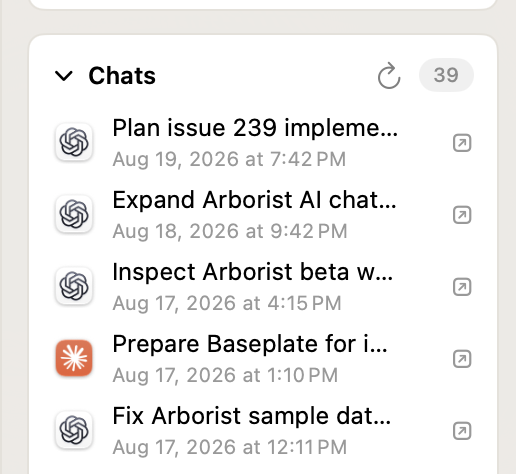
Arborist will look for Claude Code, ChatGPT (Codex), and GitHub Copilot chats in each worktree provided to it automatically. These conversations are shown in the inspector panel of the selected worktree and you can easily open one by clicking it.
These chats are discovered by Arborist by looking in your home folder’s .claude, .codex, and .copilot directories, and conversations from the web will not appear unless they are found locally.
How Arborist Finds Conversations
Each conversation is associated with a specific worktree recorded by the AI agent. Arborist will only match a conversation when it is contained by the selected worktree.
For example, a chat started in
~/Developer/MyProject
will not appear under
~/Developer/Worktrees/MyProject/feature
This is true even if both worktrees belong to the same git repository.
Configure Claude Code and Copilot’s Launching
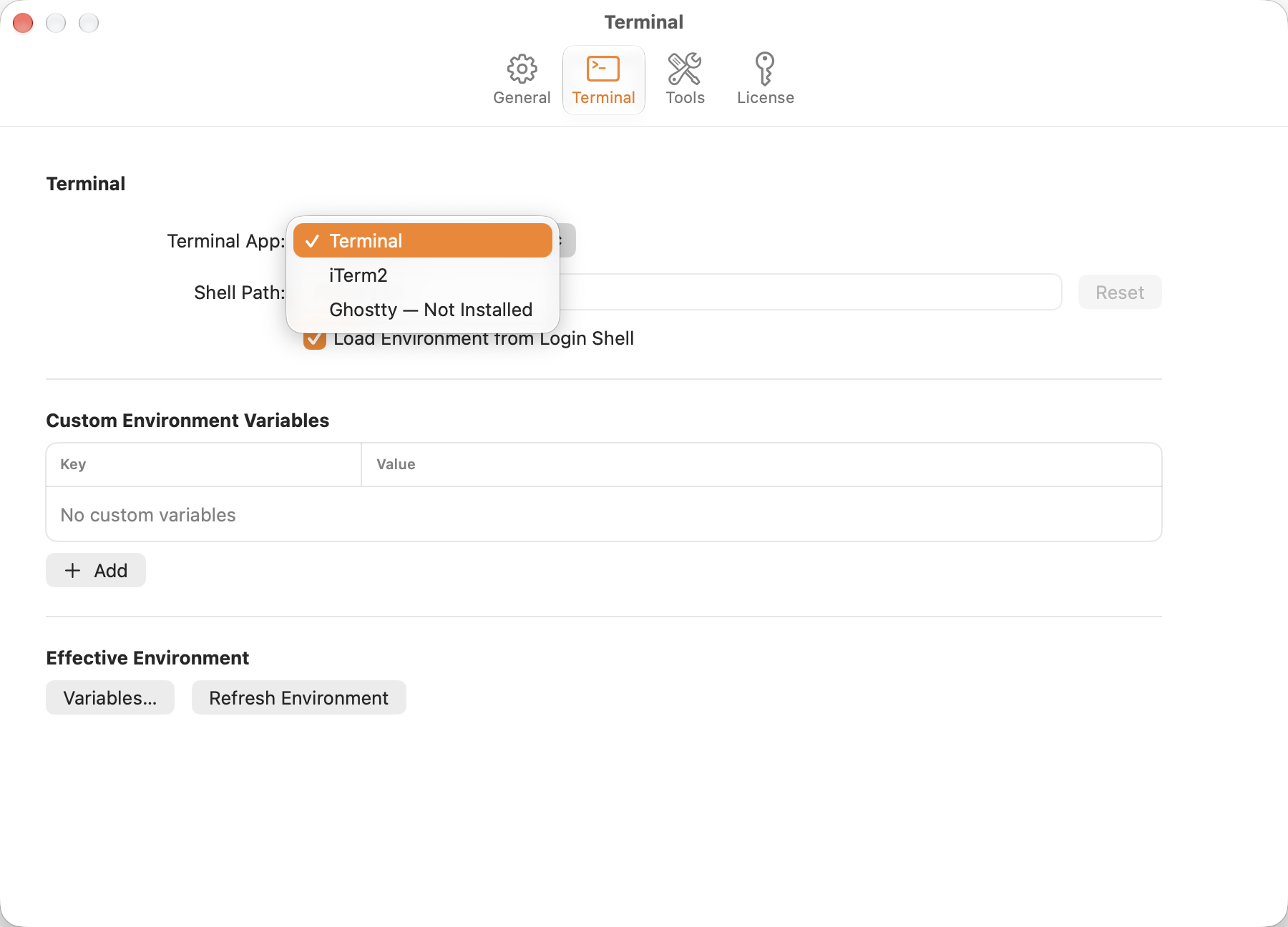
Arborist opens Claude Code and Copilot conversations in the terminal app you can specify. It defaults to the system’s Terminal.app, but in the Terminal pane of Settings you can specify which app gets opened.
Privacy and Local Data
Arborist only looks for conversations stored locally on your Mac. No networking is involved in discovering of these conversations, and no data is ever reported by Arborist about the contents of your conversations. If you send a help message using the Help menu, the email contains the number of found conversations per worktree, and that’s it.
Copilot support introduced in Arborist 1.3